


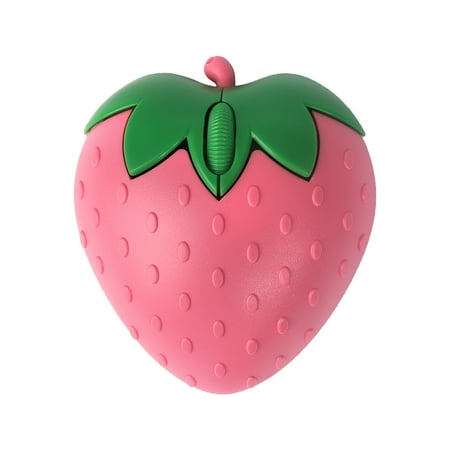
Description
Wireless Bluetooth Mouse Cute Fruit Strawberry Shape Mouse 2.4GHz & Bluetooth Dual Mode 1000DPI Optical Computer Mouse with USB Receiver Portable Cordless Mice for Laptop PC Computer Desktop Gift How to use it? Strawberry mouse power on default is wireless mode you can switch the connection mode by simultaneously long press the left and right mouse buttons for 6 seconds. The green light flashing at the wheel is wireless mode the blue light flashing is bluetooth mode. Wireless mode: 1. Put the mouse bottom battery cover inside the USB receiver plugged into the computer; 2. Load the battery turn on the switch can be used (mouse boot default is wireless mode).Note: such as switching from bluetooth mode to wireless mode at the same time long press the left and right mouse buttons for 6 seconds the wheel at the green light flashes switch to wireless mode. Bluetooth mode: 1. Mouse loaded with batteries (pay attention to the battery positive and negative poles do not install the opposite); 2. Long press the left and right mouse buttons at the same time for 6 seconds the blue light flashes switch to bluetooth mode; 3. In the computer device to find the mouse bluetooth connect to use (mouse bluetooth name: BT5.1mouse). Specification: Material: Plastic Interface: USB Connection Methods: 2.4GHz + Bluetooth 5.0 DPI: 1000DPI Number of buttons: 3 Battery: 1*AAA battery (not included) Dimension: 97*86*30mm/3.82*3.39*1.18inches Net weight: 60g/2.12oz Package contains: 1 * Strawberry wireless mouse 1 * USB receiver Notes: 1. Please allow 1-3 cm difference due to manual measurement and 3-5 g for the difference between different colors. 2. Due to the screen difference the color may be a little different from what you expect please allow it.

Reviews
There are no reviews yet.